Doodle Element: A Creative Font for Modern Web Design
Recently, I was working on a boutique online store’s homepage redesign. The client wanted something fresh, engaging, and visually unique to stand out in a crowded market. After exploring several font options, I came across Doodle Element. It immediately caught my eye—not just for its visual style, but for how it could elevate the overall design of the site.
A Sketchy Touch with Digital Appeal
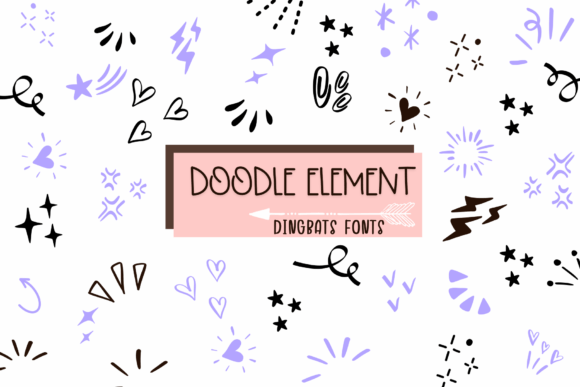
Doodle Element is a dingbats font with a sketch-style aesthetic. It feels hand-drawn, organic, and slightly playful. Unlike traditional serif or sans-serif fonts, this one brings a sense of spontaneity and creativity that aligns well with the brand’s personality. The irregular lines and soft curves give it a tactile quality that’s perfect for creative projects.
I first tested it in the hero section of the homepage. Placed over a subtle image banner, it added a layer of visual interest without overwhelming the user. The font’s light weight made it feel approachable, while its sketchy texture gave the design a more artistic edge. It wasn’t too bold or too whimsical—it struck a balance that felt right for the project.
Where Doodle Element Shines
Doodle Element works best as a decorative or display font. It’s not ideal for body text due to its low contrast and uneven stroke widths, which can affect readability. However, it’s a fantastic choice for headers, call-to-action buttons, logo text, and other elements where visual impact matters more than legibility.
- Hero Sections: Use it for main headlines or taglines to draw attention.
- Call-to-Action Buttons: Its playful nature makes it great for interactive elements.
- Logo Text: Adds character to a brand identity without being too distracting.
- Decorative Accents: Perfect for blog headers, social media graphics, or campaign pages.
For example, I used Doodle Element on a course sales page as part of a digital brand kit. It helped reinforce the creative and educational vibe of the course while maintaining a cohesive look across all visual assets.
Readability and Responsiveness
One of the biggest concerns when using a decorative font like Doodle Element is ensuring it remains readable on all screen sizes. I checked how it performed on mobile devices, especially on small buttons and dark backgrounds. While it looked great on desktop, I noticed it became less legible at smaller sizes on phones.
To address this, I paired it with a clean sans-serif font for body copy. This font pairing strategy helped maintain clarity while still allowing Doodle Element to shine in key areas. I also adjusted the font size and spacing to ensure it didn’t get lost in the layout.
Another consideration was webfont availability. I made sure to check if Doodle Element offered web-ready formats like WOFF and WOFF2 for optimal performance. Also, verifying that it supported multilingual characters was important since the site would be used by an international audience.
Branding and Consistency
When building a digital brand, consistency is key. Doodle Element helped unify the visual language of the boutique store. Its use across multiple touchpoints—like banners, headers, and promotional graphics—created a cohesive experience that reinforced the brand’s identity.
However, I also considered how it might affect brand trust. Since it’s a creative font, it’s better suited for brands that want to appear fun, innovative, and approachable. For more professional or corporate sites, a classic serif or sans-serif font might be a safer choice. But for creative businesses, Doodle Element adds a unique personality that can help them stand out.
Designing with Purpose
In the end, choosing Doodle Element was about aligning the font with the project’s goals. It wasn’t just about aesthetics—it was about creating an experience that resonated with the target audience. By using it strategically, I was able to enhance the visual hierarchy, guide user scanning behavior, and improve overall engagement.
Whether you’re designing a portfolio homepage, a product landing page, or a campaign landing page, Doodle Element offers a versatile tool for adding character and creativity. Just remember to pair it wisely, test it on different screens, and ensure it supports your brand’s message and values.